Finding Owners
Find active property owners and buyers in your market using Elementix's filters.
The People page can also list people based on the properties they own rather than the loans they take out. All owners are pre-skip traced, and each person's activity includes properties held across all of their associated LLCs. Use the sidebar filters to define the ownership activity you're looking for — the table shows matching owners along with the properties they own, their recent purchases and sales, and their net change.
This is useful for finding owners based on their buying and selling activity. For example, you could search for active buyers in a specific zip code who are purchasing multi-family or residential properties.
This view shares the same People page as Finding Borrowers — the difference is the Person Type filter. Set it to List as owners to work with ownership activity.
Person Type
The Person Type filter is what activates owner mode on the People page. By default the page is set to List as borrowers (loan activity) — switch it to List as owners to surface people based on the properties they own instead. Everything else on this page assumes List as owners is selected.

Example Filters
To find owners in zip code 19143 who have bought or sold residential multifamily property worth over $1,000,000 in the past year:
| Filter | Value |
|---|---|
| Person Type | List as owners |
| Time Period | 12 months |
| Location | 19143 |
| Activity Value | $1,000,000+ |
| Property Type | Residential |
| Property Subtype | Multifamily |
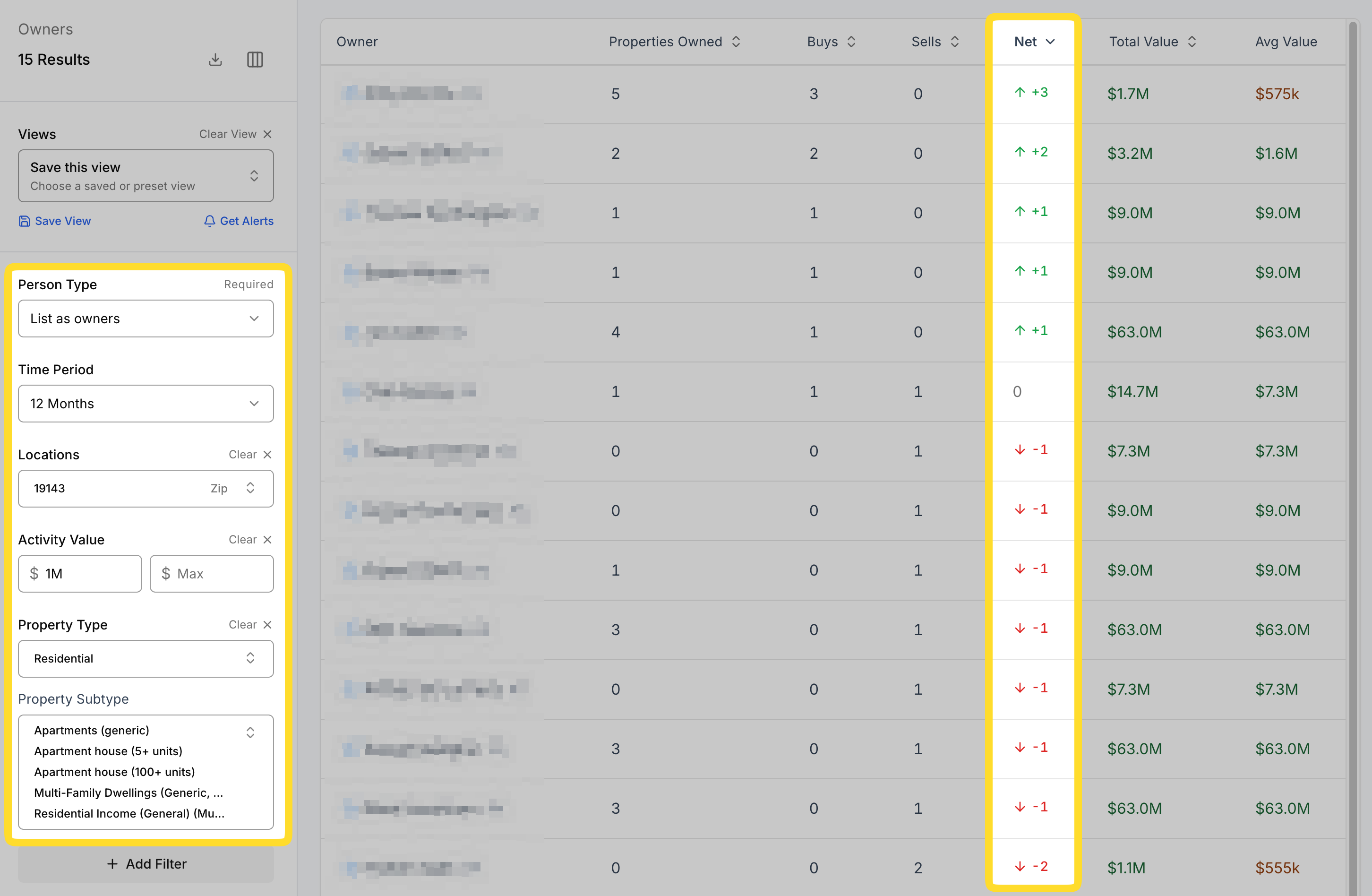
Because the table sorts by Net Change, the most active net buyers surface at the top while net sellers are pushed to the bottom.
Results Table
With List as owners selected, the table shows the following columns:
- Properties Owned — the total number of properties the person currently owns. This stays constant regardless of the Time Period filter.
- Purchases — the number of properties purchased within the selected time window.
- Sales — the number of properties sold within the selected time window.
- Net Change — purchases minus sales, showing whether the person is a net buyer, a net seller, or simply holding (an owner).
Filters
Time Period
Sets the window for ownership activity. For example, if 12 months is selected, the Purchases and Sales columns reflect all purchase and sale activity for that person within the past year. (Note that Properties Owned is unaffected by this filter.)
Location
Filter by the region, state, county, city, or zip code where the person's properties are located. You can select any combination of locations.
Activity Value
Only show owners whose activity falls within a specific transfer-price range. This reflects the dollar amount (minimum and maximum) of the buys or sells in the selected time window.
Properties Owned
Filter owners by the total number of properties they own, using a minimum and maximum range.
Buy Count
Filter owners by their number of purchases in the selected time window, using a minimum and maximum range.
Sell Count
Filter owners by their number of sales in the selected time window, using a minimum and maximum range.
Net Change
Filter owners by their net change (purchases minus sales) in the selected time window, using a minimum and maximum range. Use this to isolate net buyers or net sellers.
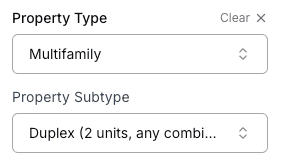
Property Type
Filter owners based on the property types they own.
Property types come from county assessor data and can be inaccurate or outdated. We recommend using Property Type only and avoiding Property Subtype.
Business Purpose
Filter ownership held by a real person (Personal) or by a business entity (Business Purpose).